
Player guide
Getting started
Name your firm, make a cold call, and you'll have a commission cheque before the first month is out. Here's what happens and where everything lives.
Updated October 20, 2026
What you need
A browser, on your phone or a computer. There's nothing to install and no account to make. The game keeps one career on your device and saves it after every change, so you can close the tab at any point and pick up where you left off. Starting a new career replaces the old one.
You start as a Rookie with $100,000 and a 10-year career ahead of you: 120 months, one turn per month. The goal is the biggest net worth you can finish with, and #1 in the city.
Open your firm
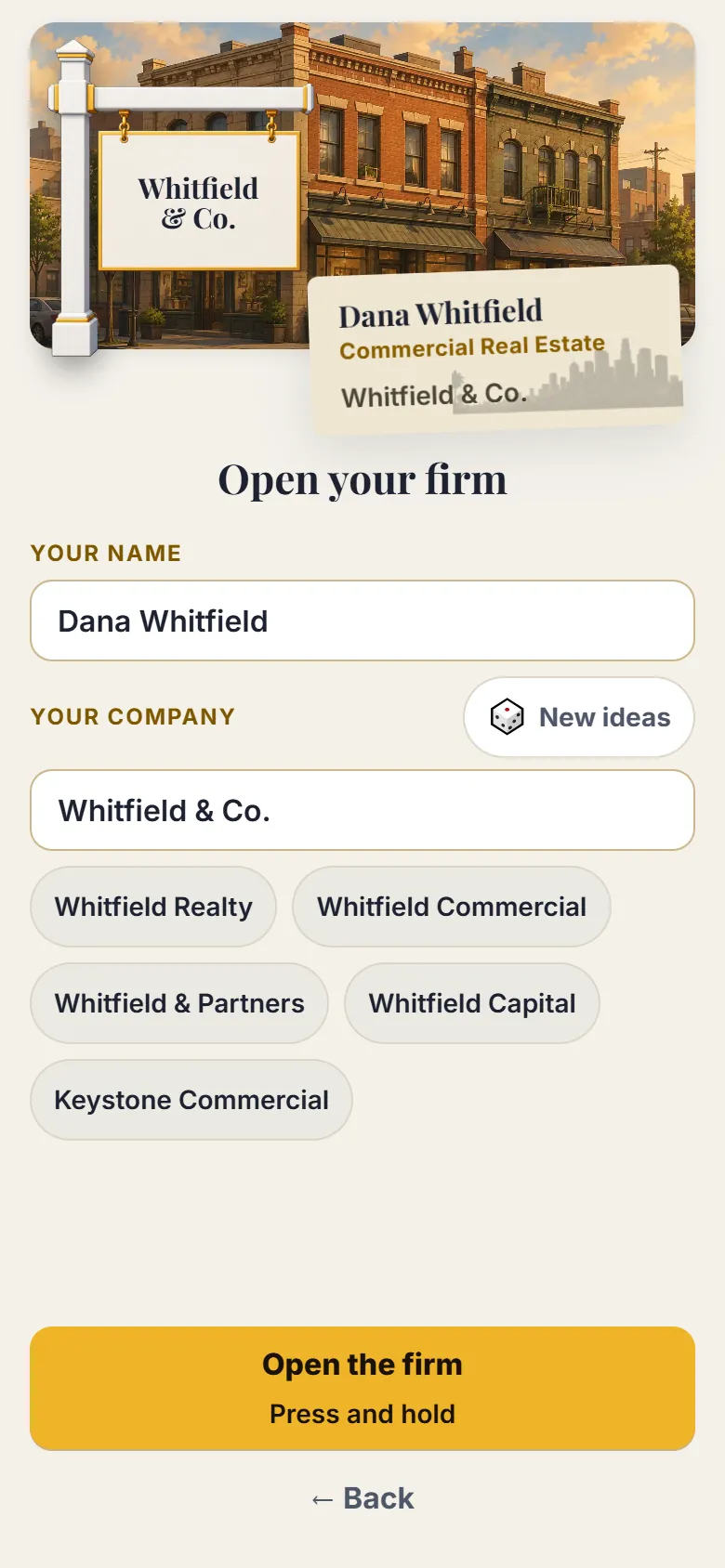
Before the first call, you name yourself and your company. Both boxes start filled, and suggestion chips (or the dice) offer firm names if you want a different one. As you type, a yard sign outside your new office letters your firm's name. Hold Open the firm and the sign swings up: you're in business. You can rename the firm later from your profile.
Your first month
The first month is a short guided tour. It walks you through one full deal:
- Pipeline. Make a cold call. Cold calls are scratch-off tickets: scratch all three windows, and three of a kind is a lead. Your first 3 plays always land.
- Take the client. The lead is a buyer with money to spend. Take them on: their card shows the building that fits them best.
- Make the offer. Put in an offer on the best fit. Your career's first offer is a sure thing; after that, lower offers can be refused (see Brokerage).
- End the month. Deals close when the month ends. Press and hold Hold to end the month.
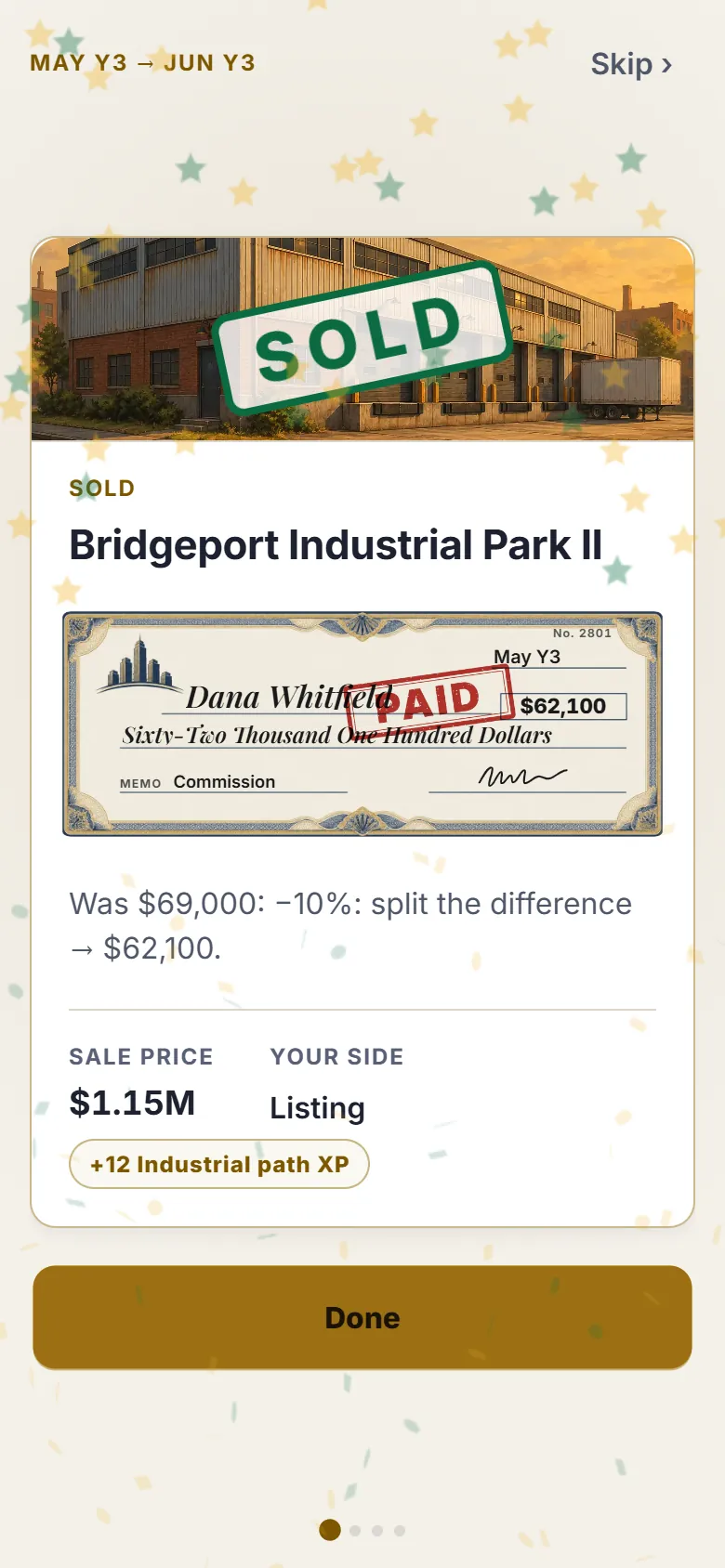
- Bank the cheque. Your commission arrives as a paper cheque made out to you. Hold to deposit it.
During that first month, purchases close at once. After it, purchases close when the month ends. Career and score explains how a career is scored.
Your first building
Your first commission opens the Market. Tap a building and its Deal Sheet says, in one line, what you put in and what the building pays you each month, and how the seller is likely to answer. Your very first purchase opens at the asking price, so it lands. Hold to make the offer, end the month, and the keys are yours. See Buying and financing.
The five tabs
A month's decisions are spread over five tabs. A number on a tab tells you how many cards are waiting there.
- Desk is where every month starts: events, trouble in escrow, the month report, promotions, and anything with money or a deadline on something already in motion, like a plan stage to fund or a listing's last month.
- Pipeline is your brokerage: prospecting for leads, your marketing campaigns (under Prospect for leads), buyer clients, listing pitches, offers on your listings, and later your team. See Brokerage.
- Market is buying: the buildings for sale, and your purchases under contract. See Buying and financing.
- Portfolio is the buildings you own: business plans, upgrades, refinancing and selling. See Business plans and Upgrades.
- You is your career: the trophy case, the Playbook of unlock cards, Coming up, career paths, missions, the skill tree, rivals, the City Ledger, House Rules, the Finance skill, the concept deck and the glossary.
Settings are behind the gear in the header. A card that lands on another tab pops up above the tab bar so you don't miss it.
New things arrive as cards
The game doesn't open everything at once. Your first commission opens the Market and your first building opens the Portfolio, right away. Each promotion brings one headline, like a new district or a bigger business plan. Smaller features are earned by doing: close 3 deals and Lunch Meetings open, sign 2 listings and Standard Marketing opens.
Each one arrives as an unlock card (common, rare or epic), at most one a month, dealt at the end of the month. Every card you get is kept in the Playbook on You, and the Coming up strip shows what's next and how close you are. See Unlocks and the Playbook.
Actions and cards
Each month you get a few actions. Cold calls, pitches, offers, upgrade levels, plan steps and refinances all cost actions; answering most cards doesn't. You start with 3 a month, and Senior Associate brings a 4th (see Ranks). Actions you don't use lapse at month end.
A month usually brings two or three decisions that matter: a client to place, an offer to answer, a building to buy or run.
Ending the month
When you're done, hold Hold to end the month. It works from any tab and tells you how many cards are still waiting. Then the month-end reveal plays, biggest news first: a cheque to deposit, the keys to a building you bought, a promotion, or a front page of the Skyline Herald when you make the news. Then the market, then your net worth and what moved it. The next month starts on the Desk.
On a computer
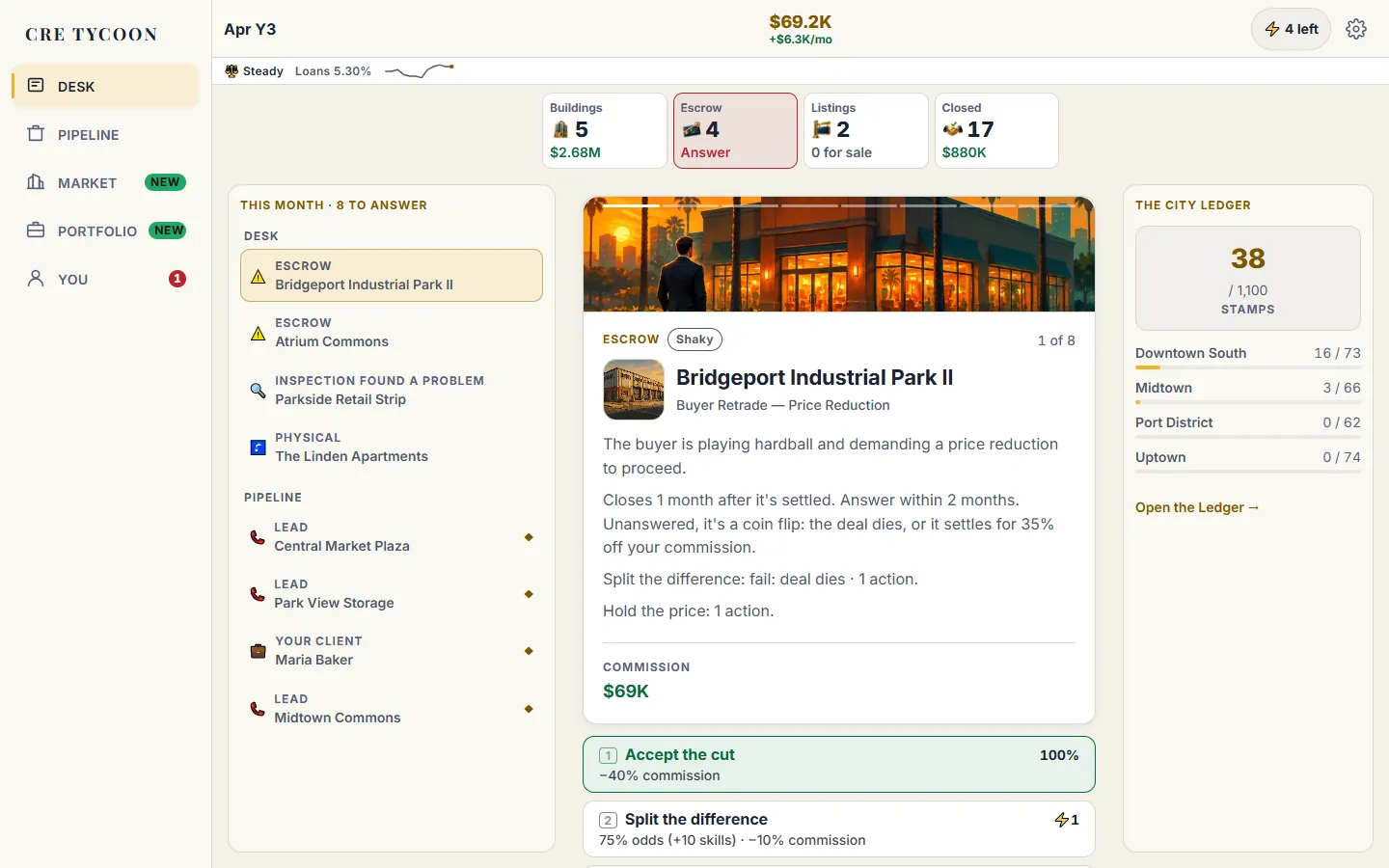
On a wide screen (roughly 1024 pixels wide or more), the game switches to a desktop layout. It's the same career, the same cards and the same buttons, laid out side by side instead of stacked. With a mouse, the hold buttons also take a click: click once, and click again to confirm.
Ready? Open your firm.
Try it on a real career
Free in your browser, on your phone or desktop. No download, no account.